Ragdoll Archers turns every bow shot into a physics puzzle, with ragdoll stickmen tumbling through fast duels. You aim, release, and watch momentum decide the result. A clean hit can stop an attack, while a mistimed shot leaves you exposed.
The game blends bow and arrow combat with loose, unpredictable movement. Each duel asks for more than a steady aim. You must read body position, manage space, and choose the right moment to fire. Its physics-driven action gives every exchange a slightly different shape.
Ragdoll Archers launched in 2023 and comes from Ericetto. Explore the physics action , then play Ragdoll Archers online and test your timing.
Ragdoll Archers Core Combat Loop
One-Arrow Duels
Each fight starts with a simple task: control an archer and land shots. The bow creates a clear rhythm. Aim, release, watch the arrow travel, then adjust for the next opening. You cannot rely on speed alone. A rushed shot often misses the target or gives the opponent time to answer.
Ragdoll physics makes every hit matter visually and tactically. A stickman can bend, fall, twist, or slide after contact. That motion changes the next exchange. A body that looks off balance may still recover, while a fallen opponent may present a brief target. Read the movement before committing to another arrow.
Good timing starts before the shot. Watch how the rival moves, then fire when their position becomes predictable. Aim at the body rather than chasing a dramatic angle. Direct hits create more reliable pressure, especially when both archers share limited space.
Ragdoll Archers rewards calm decisions because the physics keeps turning small mistakes into large openings.
Why Movement Matters
Movement protects your archer and changes your shooting angle. A small shift can move your body away from an incoming arrow or place the bow on a cleaner line. Avoid standing still after every shot. Your opponent can read that habit quickly.
Move with purpose instead. Step into a useful angle, fire, then prepare for the reaction. Ragdoll motion may carry your archer farther than expected, so watch the body rather than trusting a fixed position. The best players treat movement as part of aiming, not as a separate action.
Controls and Aim Timing
Solo Mouse Controls
Solo play uses the Left Mouse Button to control the archer, aim, and shoot. Keep your mouse movement smooth. Large, sudden movements make it harder to place the arrow precisely. Start by tracking the rival’s body, then settle your aim before firing.
The Spacebar makes Player 1 jump. Player 1 can also jump with Left Shift. Use one jump input consistently, so your hand keeps a predictable rhythm. Jumping changes the archer’s position and can disrupt a simple attack pattern, but it should support your shot rather than replace careful aiming.
Let the mouse do the fine work. Avoid dragging across the whole screen unless the target moves sharply. A small correction often beats a dramatic sweep. After each release, reset your aim calmly and watch the arrow’s path.
Two-Player Keyboard Controls
Two-player matches split control between both keyboards. Player 1 uses WASD to control the archer. Player 1 jumps with Spacebar or Left Shift. Player 2 uses the Arrow Keys to control the archer and Right Shift to jump.
Keep each player focused on their own keys. The layout supports direct rivalry without sharing one mouse. Watch the other archer’s movement, then choose when to advance, retreat, or jump.
Jumping Without Losing Position
Jump with a reason. Use it to change your body line, avoid a threat, or create a better angle. Do not jump repeatedly without checking your landing spot. Ragdoll movement can carry you away from useful space.
Arrow Types and Upgrade Choices
Special Arrow Roles
Ragdoll Archers includes special arrow types alongside its standard bow and arrow combat. Treat each type as a tactical choice, not a cosmetic swap. The right option should match the problem in front of you: a hard-to-reach target, a shifting body, or a duel that demands a different rhythm.
Test an arrow type when the normal approach stops working. Watch its path and the target’s reaction. Then decide whether it helps your current aim style. Avoid changing tools after every miss. One bad release does not prove that the arrow choice failed.
Special arrows also add variety to repeated fights. They encourage you to adjust your plan instead of using one attack forever. Keep your attention on placement and timing, since no arrow choice removes the need for a clean shot.
Abilities Versus Ammunition
The game presents abilities, ammunition, points, and upgrades as part of its progression layer. Think of these choices as a way to shape your approach. A player who prefers steady attacks may value consistency, while another may favor more unusual arrow options.
Make one change at a time when possible. That keeps your results easy to read. If your aim improves, you will know which adjustment helped. If it does not, return to the previous setup and try a different choice.
When to Change Your Loadout
Change your setup when a repeated problem keeps stopping you. Missed angles, poor reach, or awkward timing each suggest a different experiment. Do not switch simply because one arrow failed. Look for a pattern across several attempts.
Surviving Damage, Stamina, and Health
Watching the Bars
Do not stare at them constantly. Check them after movement, after a hit, and before committing to another attack.
Health deserves the fastest response. Once it drops, avoid trades that offer little value. Stamina matters when you keep moving or jumping, so watch for signs that your actions are becoming harder to sustain. The blue power bar also deserves attention before a major shot.
Build a simple habit: aim, glance, act. This keeps your view on the rival without ignoring your own condition. Good awareness prevents panic and makes your next decision easier.
Punishing Overcommitment
Overcommitment happens when you keep attacking after the safe opening disappears. A missed arrow, a long movement, or a poorly timed jump can leave your archer vulnerable. Stop pressing when the opponent gains the better angle.
Use that moment to reset your position. Let the rival expose a mistake instead of chasing every possible hit. Patient defense creates cleaner opportunities than constant aggression.
Safer Shot Timing
Take safer shots when your bars look healthy and your position feels stable. Avoid firing during an uncontrolled fall or immediately after a needless jump. Wait for a clear line, then release with purpose.
Ragdoll Archers Modes and Match Formats
Solo Play
Solo play puts one archer against the game’s enemies. It gives you room to learn the physics, test aim timing, and understand how ragdoll movement changes after contact. Focus on one skill at a time. Start with body positioning, then add movement, special arrow choices, and tighter shot timing.
This format suits players who want direct practice without another human changing the pace. Each encounter lets you study patterns and improve your reactions. Keep your movements controlled, because solo opponents still punish careless attacks.
PvP Duels
Watch the other player’s habits, then fire when their movement becomes predictable.
Split keyboard controls keep both players active. Player 1 uses WASD, while Player 2 uses the Arrow Keys. Their jump inputs remain separate as well.
Team Up Against Enemies
Team Up Against Enemies supports a two-player cooperative format. Both players work against foes instead of fighting each other. Shared survival rewards coordination more than pure aggression.
One player can create pressure while the other looks for a clean angle. Communicate your movement through actions, and avoid crowding the same space.
Start playing Ragdoll Archers here and put your aim under pressure.
Platform Access and Where It Runs
Browser Play
It supports solo play and two-player formats with the documented mouse and keyboard controls. That makes it easy to move from the game page into a match without changing the core control setup.
Use the Left Mouse Button in solo play. Two-player sessions use WASD and the Arrow Keys for movement.
Chrome Extension Build
A Chrome extension build is also documented among the game’s available versions. Treat it as a separate access route from the browser page. The shared game identity remains the same: physics-based archery with ragdoll stickmen and multiplayer play.
Windows and Mobile Store Versions
The wider platform record includes PC, Mobile, and Android. Store versions sit alongside the browser and extension listings, while the shared evidence centers on bow combat, physics, solo play, and two-player action.
For related action, visit the Action collection after your next duel.
Compare with Similar Games
| Game |
Why Similar |
| Ragdoll Hit |
Ragdoll physics-based combat between stickman characters |
✨ Key Features of Ragdoll Archers
- Ragdoll physics
- Bow and arrow combat
- Solo mode
- Two-player PvP
- Two-player co-op
- Points and upgrades
How to Play Ragdoll Archers
Step 1: Start in the mode you want
Choose single-player if you want simple mouse control. Choose two-player if you want keyboard duels or cooperation.
Step 2: Set your shot with control and patience
In solo play, hold the left mouse button to attack and release to shoot. In two-player modes, use your assigned movement keys to line up the shot.
Step 3: Jump before you commit
Use space, left Shift, or right Shift to jump at the right moment. A good jump can stop an incoming arrow or improve your angle.
Step 4: Switch tactics by opponent type
Use different arrow types when the fight demands it. Some work better for direct pressure, while others help control space or punish mistakes.
Ragdoll Archers FAQs
What are the basic controls for Ragdoll Archers?
Browser keyboard: Spacebar — jump - player 1; WASD — control archer - player 1; Left Shift — jump - player 1; Arrow Keys — control archer - player 2; Right Shift — jump - player 2. Browser mouse: Left Mouse Button — control archer / aim and shoot - player 1.
Conclusion
Ragdoll Archers is a physics-based archery combat game by Ericetto, released in 2023, with a simple concept that creates plenty of tension. In singleplayer, each shot demands careful control and timing, while the browser, PC, mobile, and Android versions make it easy to enjoy across platforms. Player 1 can control the archer, aim, and shoot with the left mouse button.
Its multiplayer options add even more appeal. Two-Player PvP lets two players fight in the same match using split keyboard controls, turning every shot into a direct rivalry. You can also team up with another player against enemies, where coordination matters more than pure aggression. With Player 1 using WASD and Spacebar or Left Shift, and Player 2 using Arrow Keys and Right Shift, Ragdoll Archers offers flexible play for solo sessions or shared matches. Play Ragdoll Archers here and experience the action for yourself.
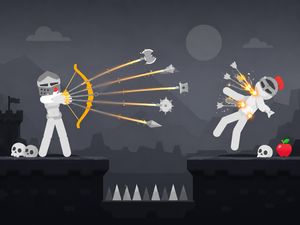
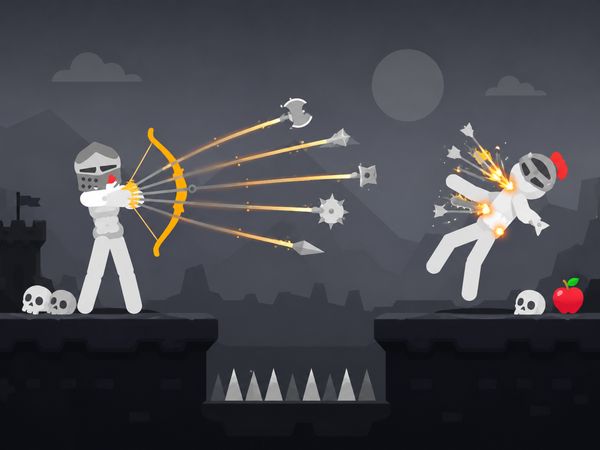
Ragdoll Archers Game Image

No comments yet. Be the first to share your thoughts!