Ragdoll Hit turns every attack into a physics puzzle, where speed, body position, and rivalry decide the result. This physics-based stickman fighting game rewards movement before contact. A careless swing can miss, while a well-timed rush can send an opponent tumbling.
The controls look simple, but momentum gives each choice weight. Walk into a strike, jump for a cleaner angle, or grab an item before the fight changes shape. The same loose physics that create funny falls also create smart openings.
Single-player action gives you room to learn the arena and timing. A documented local PvP build also lets two players share the keyboard. Play Ragdoll Hit online and test whether your next hit comes from skill, speed, or pure chaos.
Mastering Ragdoll Hit Controls and Momentum
Movement That Builds Force
Start with movement, not attacks. Press A to move left or hit left, and D to move right or hit right. The Left Arrow and Right Arrow perform the same left and right actions. This gives you two verified movement layouts, depending on the control setup.
Do not mash the side keys without a plan. Approach, watch the opponent’s balance, then strike when your body already carries useful movement.
Small corrections often beat wild swings. Move away to create space, then reverse direction before contact. That change can make your next hit harder to read. Ragdoll Hit rewards players who treat movement as part of the attack itself.
Jumping Into Cleaner Hits
Use W or the Up Arrow to jump. A jump changes your body position and can help you reach a better attack angle. It also interrupts a flat approach, which makes your timing less obvious.
Grabs, Holds, and Weapon Control
Press Spacebar to pick up or hold an item. The same grab action lets you hold opponents. Secure the target first, then choose whether to keep control or create a better angle.
Weapon Fights and Close-Range Decisions
When Weapons Matter Most
Weapons matter when distance makes ordinary strikes risky. A held item can change the space between two stickmen, forcing the opponent to respect your reach. Still, the weapon does not replace movement. Momentum remains central, so a poorly positioned swing can fail even when you hold the object.
Watch the opponent’s approach before committing. If they rush straight in, hold your ground and time the strike as they enter range. If they circle or retreat, move with them instead of swinging early. The goal is not to attack constantly. The goal is to make contact while your body and weapon travel together.
Close-range fights also reward patience after a miss. Do not panic when the first swing fails. Recover your position, face the opponent, and prepare another movement-led attack. A calm reset often beats a second reckless swing.
Picking Up and Throwing Objects
Spacebar handles item control. Move close enough to grab an object, then hold it while you adjust your position. This gives you a choice between keeping the weapon close and using it during a forward attack.
Grabs also affect throws and positioning. Secure control before trying to move the fight elsewhere. A quick pickup can interrupt an opponent’s plan, but reaching for an item at the wrong time can expose your body. Read the distance first, then commit to the grab.
Staying Safe While Swinging
Protect your recovery after every swing. Keep enough space to move again if the attack misses. A weapon creates pressure, but an exposed body still gives the opponent an opening. Swing from a useful position, then prepare to retreat or grab immediately.
Stage Edge Pressure and Environmental Wins
Using Ledges and Drop Zones
Edges turn movement into a serious decision. A player near a ledge has fewer safe directions, while the center offers more room to recover. You do not need a perfect hit to gain value near a drop zone. A shove, mistimed jump, or forced turn can create danger.
Approach the edge with control. Move toward the opponent, then slow your advance before making contact. This keeps you ready for a sudden reversal. If you rush too far, the same space that threatens your opponent can threaten you.
Jumping also changes edge pressure. A jump can cross a small gap or avoid a low attack, but it can leave you without stable footing. Watch where both bodies will land. Good environmental play comes from planning the landing, not just chasing the launch.
Forcing Bad Positions
Push the opponent toward limited space without giving up your own balance. Side movement helps close one escape route, while a timed strike can make the remaining route uncomfortable. Keep your body between the opponent and the safer part of the arena when possible.
Do not attack simply because the opponent is near an edge. Wait for a step, jump, or turn that reduces their options. Then use momentum to pressure that mistake. Ragdoll physics can turn a small positional error into a large knockback moment.
Turning the Arena Against Opponents
Use the stage as a threat, not just a backdrop. Center control gives you room to move, while edge pressure limits recovery. Force awkward approaches, then attack when the opponent must travel through your preferred space.
Start playing Ragdoll Hit here and turn every opening into a physics-driven win.
Ragdoll Hit gameplay
Shared Keyboard Setup
Player One uses the arrow keys:Left Arrow moves left or hits left, Right Arrow moves right or hits right, Up Arrow jumps, and Down Arrow kicks. Player Two uses A for left or hit left, D for right or hit right, W to jump, and S to kick.
Spacebar handles picking up or holding an item. Before the round begins, place the keyboard where both players can reach their keys comfortably. Clear control matters because momentum-based attacks need deliberate movement, not cramped hands.
Player One and Player Two Roles
Neither player gets a special combat role. Both use the same physics and attack ideas through different key groups. One player may start with arrows while the other starts with WASD, but both must manage movement, kicks, jumps, and body position.
Use the first exchanges to read timing. A player who rushes can reveal an easy counter, while a patient player may control the center. Keep watching balance rather than chasing button speed.
Mind Games in Mirror Matches
Mirror matches reward small changes. Repeat one approach, and the other player can prepare for it. Walk in, pause, jump, or reverse direction to create doubt. Grabs add another layer because Spacebar can change control of an item or opponent at close range.
Ragdoll Hit Characters, Skins, and Progression
What Progression Actually Changes
Your practical progression comes from better control. Learn when movement adds force, when a jump improves position, and when Spacebar gives control over an item or opponent. These skills make later fights feel more manageable without requiring a complex plan.
Track decisions, not imagined upgrades. After a mistake, ask whether distance, timing, or body position caused it. Then change one choice during the next exchange.
Try Ragdoll Hit again now and sharpen those reactions through another fight.
Browser Play, Platforms, and Access
No-Download Browser Sessions
The browser format suits short practice sessions because you can return to the controls without installing anything.
Use the opening moments to test movement. Press the left and right controls, then try a jump and kick. Confirm how your stickman responds before chasing an opponent. This quick check helps you understand the loose physics without wasting a promising exchange.
Browser play also keeps the focus on the match itself. You can practice momentum, grabbing, and edge pressure through direct play. When another player joins the documented local PvP build, keep the keyboard arrangement clear and agree on each control group first.
What the Evidence Does and Does Not Confirm
Its established core includes single-player action, physics-based fighting, simple keyboard controls, momentum-driven attacks, and weapon grabbing. A two-player local PvP variant is also documented.
Stick to those mechanics when planning your session. The browser experience is strongest when you focus on movement, timing, grabs, and arena position.
✨ Key Features of Ragdoll Hit
- Physics-based stickman fighting
- Momentum-driven attacks
- Weapon grabbing and holding
- Local two-player PvP
- No-download browser play
- Simple controls with chaotic outcomes
How to Play Ragdoll Hit
Step 1: Use the game controls
Use A to move Left / Hit Left. Use D to move Right / Hit Right. Use Left Arrow to move Left / Hit Left. Use Right Arrow to move Right / Hit Right.
Step 2: Start With Movement First
Use left and right movement to learn how your stickman leans, swings, and gains force.
Step 3: Use Jumps To Change Attack Angles
Jump before contact when you need a higher strike or a safer approach.
Step 4: Grab Before You Swing
Press Spacebar to grab items or opponents, then use that hold to control the exchange.
Step 5: Kick At Bad Distances
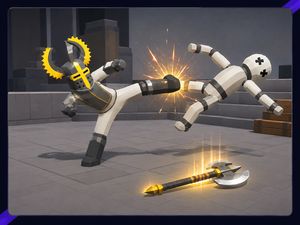
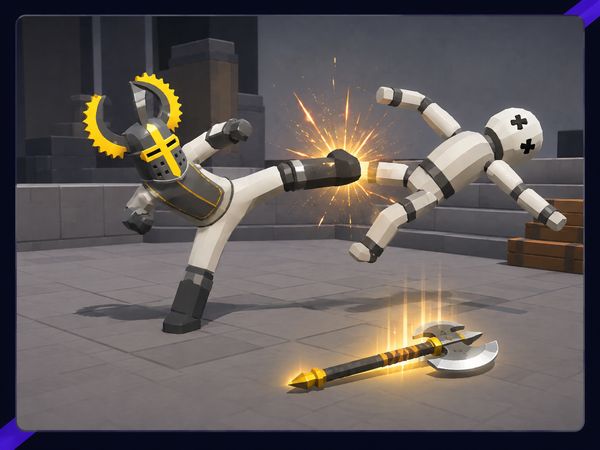
Use the kick when the opponent is close or when a push can send them into danger.
Step 6: Take Advantage Of The Arena
Fight near edges and use the stage layout to force faster wins.
Step 7: In Two-Player Mode, Stay Unpredictable
If both players share the keyboard, vary your timing so your opponent cannot mirror every move.
Ragdoll Hit FAQs
Does Ragdoll Hit require a separate installation?
No. The browser version of Ragdoll Hit runs on the page without a separate installation.
Conclusion
Ragdoll Hit brings physics-based fighting to the browser with momentum-based combat that makes every exchange feel deliberate. Walking, jumping, and striking interact, so movement feeds attack power and clean hits come from body position rather than button mashing. That focus gives both singleplayer and multiplayer matches a satisfying blend of timing and control.
The Grab mechanic adds another layer: press Spacebar to grab or hold items and opponents, creating control over weapons, throws, and positioning. Use AN or D, or the Left and Right Arrow keys, to move and hit; W or Up Arrow jumps, while S or Down Arrow kicks. With simple inputs and expressive physics, Ragdoll Hit is easy to start but rewarding to master. Play Ragdoll Hit here on this page and see how your timing shapes every clash.

No comments yet. Be the first to share your thoughts!