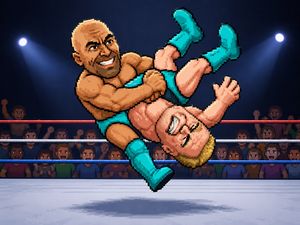
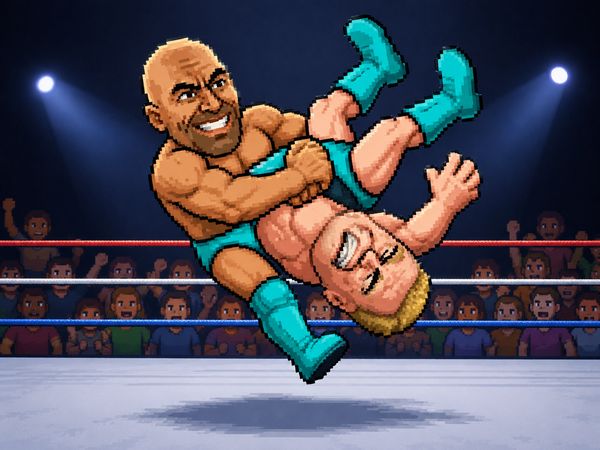
Wrestle Bros turns pro wrestling into a fast contest of movement, attacks, and sudden pin attempts. Every exchange can change quickly. A body slam or suplex may create the opening you need, but mistiming your next move gives your rival a chance to answer.
Choose a wrestler, enter a match, and fight for control of the ring. The game supports solo CPU battles and matches with friends. Its physics add weight to every collision, making close fights feel unpredictable without losing their simple browser-game controls.
Use the keyboard, watch your opponent’s position, and strike when the moment appears. Play Wrestle Bros online now, then keep winning to unlock new wrestlers and gear.
Wrestle Bros Core Match Flow
Picking a Mode
Start by choosing the match style that fits your session. Solo play puts you against the CPU, while multiplayer lets you face a friend online. Some browser hosts also support local two-player matches, so the available setup may depend on where you open the game.
Pick a wrestler and enter the ring without a long preparation phase. Wrestle Bros gets moving quickly. Learn how your character handles contact, then use movement and attacks to claim useful space. A smart opening does not require constant aggression. Stay close enough to threaten, but leave room to react when the CPU or another player changes direction.
Winning a Round
Winning means creating pressure, landing attacks, and finishing with a pin. Strikes can interrupt movement, while grapples create chances for body slams and suplexes. Do not rush the cover after every hit. First, see whether your opponent has fallen into a position that lets you reach them safely. A well-timed pin matters more than a desperate one.
When Momentum Shifts
Momentum changes after one missed action. A blocked approach or bad jump can put you beside the ropes, where your rival gains room. Recover quickly, move away from danger, and wait for the next opening. Wrestle Bros rewards players who turn defense into an immediate counter.
Controls and Movement That Matter
Move, Jump, Block
Movement controls decide how quickly you enter an exchange. In single-player play, use the Arrow Keys to move and Space for the action input. That layout keeps your attention on spacing, since one hand handles direction while the other triggers attacks or actions.
Two-player play divides the keyboard between both wrestlers. Player 1 uses WASD to move and G for action. Player 2 uses the Arrow Keys to move and L for action. Learn the difference before the match starts. A player who presses the wrong action key loses valuable time during close contact.
Attack Timing
Pressing an attack at the wrong distance wastes your best chance. Move into range first, then act as your opponent commits. This approach works especially well against a rushing CPU wrestler. Against a friend, vary your timing instead. Delayed actions can make a predictable approach easier to punish.
Two-Player Key Layout
The shared keyboard creates its own challenge. Player 1 controls movement with WASD and acts with G. Player 2 uses the Arrow Keys and L. Keep your hands settled before the round begins, then focus on the rival rather than looking down.
Start playing Wrestle Bros here and test both control layouts in your next match.
Wrestle Bros Match Types and Opponent AI
CPU Fights
CPU matches offer a direct way to learn the ring. The opponent keeps the action moving, so you can practice approach distance and attack timing without waiting for another player. Use early exchanges to study its movement. Notice when it rushes, when it creates space, and when it leaves itself open after an attack.
Do not treat the CPU as harmless practice. A missed grapple or poorly timed action can lead to immediate punishment. Build a simple habit: move into range, attack with purpose, then prepare for the response. That rhythm teaches more than repeated button presses.
Friend Matches
Matches against friends add mind games to the same quick controls. Online play supports friend matches, while some versions also provide local two-player action. Each player can bait a rush, protect an opening, or change timing after seeing the same attack twice.
Why Short Rounds Stay Tense
Wrestle Bros stays tense because mistakes matter right away. One missed strike can give the other wrestler room to attack. One careless approach can become a pin attempt. Short bursts keep every exchange focused, with little downtime between decisions.
Building Pressure with Throws, Grapples, and Aerials
Strikes and Grapples
Build pressure with attacks that force a response. Strikes help you challenge an opponent’s approach, while grapples let you contest space at close range. A successful grapple can lead into a body slam or suplex, giving your offense a stronger finish.
Do not repeat one action without reading the result. If a rival expects a grapple, use movement to make them miss. If they keep backing away, close the distance carefully. Pressure comes from making each option believable, then choosing the one that fits the opening.
Rope Play
The ropes shape where wrestlers can move and collide. Use them as landmarks when judging distance, but avoid charging forward without control. A rival near the edge may have fewer safe directions, yet your own approach can also become predictable. Keep your next action ready before entering that space.
Top-Rope Risks
Aerial moves create excitement but demand care. A leap from the top rope may miss if the opponent moves early. Check the distance before committing, and consider whether the landing leaves you ready to continue. A flashy attempt helps only when it connects.
Try Wrestle Bros now and turn one clean opening into a full attack sequence.
Unlocking Wrestlers and Gear
Progress Through Wins
Wins give your sessions a clear reason to continue. Wrestle Bros lets successful play unlock new wrestlers and gear. That progression stays simple: fight matches, improve your timing, and add rewards as victories build.
You do not need a complex plan for progress. Focus on cleaner attacks and better pin attempts each round. Even a close loss can show where your timing breaks down. Return to the next match with one adjustment in mind.
Character Variety
New wrestlers add variety to continued play. Switching characters can make familiar matches feel different, especially when you change how you approach attacks and movement. Try each unlocked option during both solo fights and friend matches.
Gear as a Goal
Unlockable gear gives wins another visible target. Keep playing, collect rewards through victories, and let the gear mark your progress. The loop stays easy to understand without requiring a separate economy or account system.
What Browser Play Changes
Instant Access
The free browser format also supports quick returns, whether you want a CPU fight or a friend match.
Browser access keeps the focus on the match itself. Choose your mode, set your hands on the keyboard, and enter the ring. You can spend less time managing setup and more time learning attacks, movement, and pins.
Portal Differences
Different hosts sometimes publish slightly different key tables or match options. Check the controls shown on the page before starting, especially during two-player play. The shared basics remain movement, action inputs, attacks, grapples, physics, and pin-based wins.
Open Wrestle Bros on this page and get straight into the action.
✨ Key Features of Wrestle Bros
- Blue Wizard Digital
- CPU matches
- Online matches
- Two-player mode
- WASD and arrow controls
How to Play Wrestle Bros
Step 1: Use the game controls
Use Arrow Keys to move. Use Space to action. Use WASD to move. Use G to action.
Step 2: Choose your mode
Start by picking a solo match or a friend match. The game supports CPU play and online or local versus play depending on the host.
Step 3: Punish knockdowns quickly
When an opponent drops, rush the cover window. The most valuable moments come right after a heavy hit or slam.
Step 4: Use the pin timing carefully
Stay near the opponent and act before they recover.
Step 5: Chase unlocks through wins
Keep winning to unlock new wrestlers and gear. Progress gives you more reason to keep replaying the same fast matches.
Wrestle Bros FAQs
Does Wrestle Bros require a separate installation?
No. The browser version of Wrestle Bros runs on the page without a separate installation.
Conclusion
Wrestle Bros brings Blue Wizard Digital’s pro wrestling sports action to the browser in a straightforward package supporting both singleplayer and multiplayer. Its appeal comes from clear controls: in singleplayer, the Arrow Keys handle movement and Space handles action, making the basics easy to understand from the start.
Multiplayer provides a simple setup for two players. Player 1 moves with WASD and uses G for action, while Player 2 uses the Arrow Keys and L. This distinct control layout makes it easy to share a keyboard and get into the action together. Whether you want a solo session or a two-player bout, Wrestle Bros delivers accessible pro wrestling action directly in your browser. Play Wrestle Bros here and experience it for yourself.

No comments yet. Be the first to share your thoughts!