Temple of Boom turns temple exploration into a frantic action shooter platformer, where shooting, movement, and weapon switching decide each encounter. You move through dangerous spaces, search for treasure, avoid traps, and face enemy pressure without much time to relax.
The game supports solo play and local two-player action. That changes the feel of every run. Alone, you manage every threat yourself. With a partner, you share the same dangerous space and must avoid getting in each other’s way. Weapons also appear as pickups, so your loadout can change during the fight.
Colin Lane Games keeps the idea simple and physical. Expect quick movement, sudden attacks, trap hazards, and ragdoll physics that make combat feel lively. Play Temple of Boom online here, then use the controls and mode guide below to make your next run last longer.
Temple of Boom Controls and Movement
Single-Player Keyboard Layout
Player 1 has two documented keyboard layouts. With the Arrow Keys, you move, and the Down Arrow picks up a weapon. Press Z to shoot and X to switch weapons.
The second Player 1 layout uses WASD for movement. Press S to pick up a weapon, C to shoot, and V to switch weapons. These bindings place movement and combat on the left side of the keyboard.
Learn the pickup key before entering a crowded fight. The Down Arrow or S handles weapon pickup, depending on your chosen layout. Z or C fires, while X or V changes weapons.
The layout affects your rhythm more than your objective. Movement starts with the Arrow Keys or WASD. Then you use the matching pickup, shoot, and switch inputs without taking your attention away from the temple.
Keep your chosen layout consistent throughout a run. Switching mental patterns during a wave wastes time. A clean control habit lets you focus on traps, enemies, and the next weapon.
Two-Player Key Sharing
Player 2 uses the Arrow Keys for movement and the Down Arrow to pick up a weapon. K shoots, while L switches weapons. This creates a shared-keyboard setup where both players need clear personal space.
Player 1 can use the WASD layout while Player 2 uses the Arrow Keys. Player 1 then picks up weapons with S, shoots with C, and switches with V. This arrangement keeps the two movement areas separate.
Before a match begins, agree on the layout each player will use. That small pause prevents confusion once enemies arrive. It also makes weapon pickups easier to claim without pressing the wrong action.
Weapon Pickup and Switching Rhythm
Weapon pickup uses the Down Arrow or S for Player 1, and the Down Arrow for Player 2. Shooting uses Z or C for Player 1, then K for Player 2.
Switch weapons with X or V as Player 1. Player 2 uses L. Treat switching as an active combat input, not a menu action.
Try more action games after you master this keyboard flow.
Weapons, Pickups, and On-the-Spot Choices
What the Pickup Rule Changes
Temple of Boom does not keep your weapon choice completely separate from the temple. Weapons appear as pickups, so your available firepower can change during a run. You must notice the pickup, reach it, and use the correct key.
For Player 1, press the Down Arrow with the Arrow Keys layout. Press S when using the WASD layout. Player 2 also uses the Down Arrow to pick up weapons.
This rule adds movement to every weapon decision. You cannot simply select equipment from a quiet screen. You must handle the pickup while the temple remains active around you.
Weapon switching then keeps the choice flexible. Player 1 presses X or V, depending on the movement layout. Player 2 presses L. The best weapon at one moment may not be the one you want later.
When to Keep or Swap a Weapon
Keep a weapon when it fits the immediate fight and lets you keep moving. Swap when a nearby pickup offers a better answer for the situation. The key decision comes from timing, not from chasing every available weapon.
Do not stop in a dangerous position just to change equipment. First create enough room to act. Then use the pickup key or switch key with purpose.
Players using WASD can move with one hand and manage S, C, and V nearby. The Arrow Keys layout uses the Down Arrow, Z, and X instead. Pick the arrangement that makes those actions feel natural.
How Box-Focused Fights Shape Decisions
Weapon pickups turn boxes and nearby objects into points of attention during fights. You must judge whether reaching one helps your current position. A pickup matters only when you can take it without losing control of the encounter.
That makes every swap a quick risk check. Move, pick up, shoot, or keep your current weapon. Make the choice before the next enemy closes in.
Solo Runs and Local Two-Player Matches
Playing Alone Against Waves
Solo play puts every task on one character. You explore, avoid traps, collect weapon pickups, and fight enemies without a second player sharing the pressure. Each mistake affects your run immediately.
That makes movement discipline especially valuable. Keep track of open space before focusing on a target. When a weapon appears, decide whether the pickup deserves your attention now.
Single-player action also gives you full control over the pace. You can set your own route through the temple and respond to each wave independently. No partner can block a path or draw attention away from your plan.
Use the solo mode to learn how the temple combines combat and hazards. It helps you build a feel for weapon switching without coordinating another keyboard player.
Why Two Players Changes Risk
Local two-player play changes risk through shared space. Both players fight within the same temple action, so positioning affects more than your own character. A rushed move can create trouble for your partner too.
Communication helps before the wave starts. Decide who will approach a weapon pickup, then leave room for the other player to move. This simple plan reduces accidental clumping.
Two players also create more activity on screen. One player may handle an immediate threat while the other moves toward a pickup. Keep those jobs flexible, because the temple can change the situation quickly.
Using Shared Space Without Clumping
Spread out when the room allows it. Keep enough space for both players to move and react. Avoid standing on the same route unless the situation forces you together.
Use separate keyboard zones when possible. Player 1 can use WASD, while Player 2 uses the Arrow Keys. Each player then keeps movement and actions within a clear area.
Start playing Temple of Boom now and test both local formats.
Temple of Boom Campaign and Endless Mode
Campaign Momentum
Campaign presents a level-based journey through the temple experience. It gives the game a structured path instead of asking you to survive without a fixed route. Each level provides a clear next step for your run.
That structure suits players who want forward momentum. You can focus on reaching the next part of the journey while handling traps, treasure searching, weapon pickups, and enemy combat.
Campaign also gives your sessions a natural shape. Start with a specific level, manage its threats, and continue through the temple journey. The mode keeps exploration tied to progression through levels.
Endless Pressure
Endless removes the fixed finish from the survival challenge. Enemy pressure continues, so the goal shifts from clearing stages to lasting as long as possible.
This mode tests how well you manage movement, weapons, and hazards over time. Every new wave keeps the focus on survival rather than reaching the next campaign level.
When Each Mode Makes Sense
Choose Campaign when you want a level-based temple journey. Choose Endless when you want sustained survival pressure instead.
Campaign gives your run direction. Endless gives it endurance. Both modes use the same central mix of movement, shooting, hazards, and weapon decisions.
Temple of Boom on Browser and Mobile Builds
Browser Play Without Download
The browser build of Temple of Boom runs directly in the browser and requires no download. That makes it easy to begin a session with keyboard controls ready. Player 1 can use the Arrow Keys or WASD layout.
For the Arrow Keys layout, Player 1 moves with the Arrow Keys, picks up weapons with the Down Arrow, shoots with Z, and switches with X. The WASD layout uses WASD to move, S to pick up weapons, C to shoot, and V to switch.
Local two-player play uses a shared keyboard. Player 2 moves with the Arrow Keys, picks up weapons with the Down Arrow, shoots with K, and switches with L. Player 1 can use WASD to keep movement separate.
The browser format suits quick action sessions. You can focus on the temple combat, weapon pickups, and fast movement without adding installation steps. It also supports the direct, immediate feel that defines the game.
Mobile Store Version
Temple of Boom later appeared in mobile storefront listings with the same core identity.
The browser and mobile listings preserve the game’s central idea: move through dangerous temple spaces, fight enemies, and handle weapon changes as the action develops.
Compare with Similar Games
| Game |
Why Similar |
| Wrestle Bros |
Uses a two-player mode with shared local controls, matching Temple of Boom’s two-player multiplayer structure. |
✨ Key Features of Temple of Boom
- Two Player Mode
- Weapon Pickup
- Weapon Switching
- Trap Avoidance
How to Play Temple of Boom
Step 1: Use the game controls
Use Arrow Keys to move - Player 1. Use Down Arrow to pick up weapon - Player 1. Use Z to shoot - Player 1. Use X to switch weapon - Player 1.
Step 2: Start with a simple solo run
Load into single-player first so the movement and pickup rhythm feel clear.
Step 3: Grab a weapon as soon as you reach one
Weapon pickup is part of the core loop, so do not stay unarmed near enemies.
Step 4: Keep moving while firing
Standing still in temple rooms makes enemy pressure much harder to manage.
Step 5: Switch weapons when the situation changes
Use weapon switching to adapt when range, crowding, or pressure changes.
Step 6: Use two-player mode for tighter coordination
If playing with a friend, avoid clustering in one lane and block each other’s escapes.
Step 7: Try Endless after the basics
Once the controls feel natural, Endless mode is useful for testing survival under constant pressure.
Temple of Boom FAQs
What are the controls for Temple of Boom?
The tested controls are Arrow Keys — Move - Player 1; Down Arrow — Pick up weapon - Player 1; Z — Shoot - Player 1; X — Switch weapon - Player 1; WASD — Move - Player 1; S — Pick up weapon - Player 1.
Do I need to download anything to play Temple of Boom?
No. Temple of Boom runs in the browser on this page, with no download, plugin or account.
Conclusion
Temple of Boom is an action shooter platformer that offers more than one way to play. Its Campaign provides a structured, level-based journey through the temple experience, while Endless mode keeps enemy pressure going without a fixed end, making lasting as long as possible the central challenge. With both singleplayer and multiplayer modes, it suits focused solo sessions or shared play.
The keyboard controls keep the action clear: Player 1 can move with the Arrow Keys or WASD, pick up weapons with Down Arrow or S, shoot with Z or C, and switch weapons with X or V. Player 2 uses the Arrow Keys, Down Arrow, K, and L. Choose your mode, manage your weapons, and take on the temple—play Temple of Boom right here on this page.
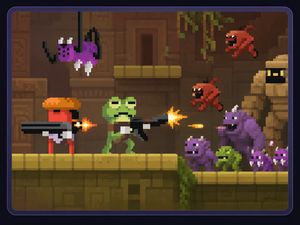
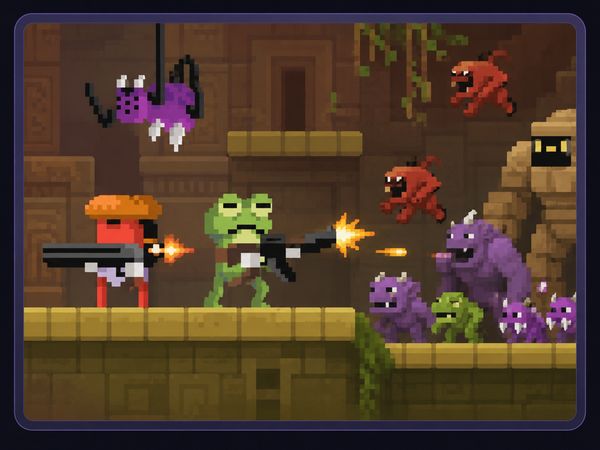
Temple of Boom Game Image

No comments yet. Be the first to share your thoughts!