Drift Boss turns one simple input into a tense endless drifting race. Hold to send the car right, then release to turn left. Every bend tests your timing, because one late change can send the run off the track.
The game keeps its focus on quick decisions. You do not manage a list of controls or switch between complex actions. Instead, you build a rhythm around holding and releasing while the endless track keeps the pressure on.
Try to beat your best distance in singleplayer. Collect coins during your runs, sharpen each turn, and play Drift Boss online when you want a fast browser challenge. Start your next run here and see how long your timing can hold.
Drift Boss Controls and Turning Rhythm
Right Turn, Then Release
Start a right turn by holding your chosen input. Keep watching the car’s position as the path curves. Release when the leftward change needs to begin.
An early release sends the car left before the turn finishes. A late release leaves the car drifting right for too long. Both mistakes can create a miss at the next section of track.
Use short holds when the direction needs only a small correction. Use longer holds when the car must travel farther right. The best rhythm comes from reading the car’s movement, not from pressing at a fixed pace.
Desktop and Mobile Differences
Use the Spacebar on a keyboard, or hold and release the Left Mouse Button. Pick the option that gives your hand the clearest timing.
Mobile support brings the same compact game format to smaller screens. Focus on clean taps or holds, and keep your view clear while the car approaches each bend.
Scoring, Distance, and Endless Runs
How Runs End
Each run takes place on an endless track. That track gives Drift Boss its main challenge: keep making turns without breaking your rhythm. The car continues through the course while you manage direction with one input.
A run ends when a turn goes wrong and the car misses the track. Early errors matter because they stop the current attempt before you can build more distance. A clean opening helps, but it never removes the need for careful timing later.
Singleplayer keeps the goal personal. You face the track and your own previous result. Restarting quickly lets you test a different hold length, release point, or overall rhythm.
Distance Over Survival
Distance gives each run a clear measure. The longer the car stays on the endless track, the more progress that attempt creates. Reaching a new distance feels less like finishing a level and more like extending a controlled sequence.
Do not treat every turn as a race to press faster. A rushed input can end the run sooner. Aim to keep the car on the track, then improve the distance one successful section at a time.
Chasing a Better High Score
Drift Boss supports a high-score chase. Use each attempt to beat your own best result. Notice where the previous run ended, then adjust the next hold or release around that moment.
Small improvements count. One extra bend can separate a short run from a personal record.
Ready for another attempt? Start Drift Boss here and chase a better score now.
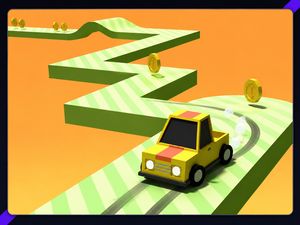
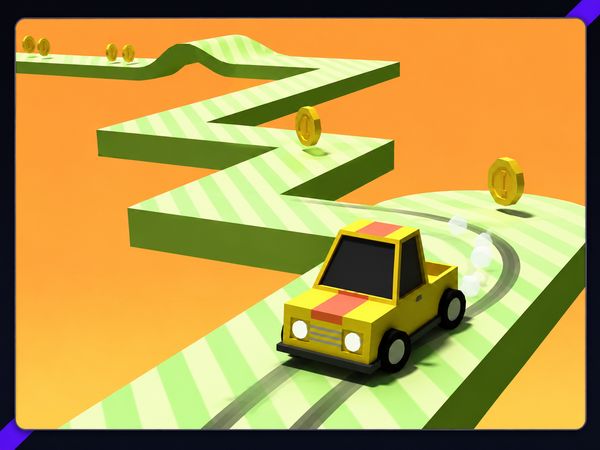
Drift Boss gameplay
Unlocking New Vehicles
Coin collection appears within Drift Boss gameplay. During a run, watch the track for coins and collect them when your line allows it. Keep the car’s direction under control first, since a risky change can end the attempt.
The available mechanics establish coin collection, but they do not define a specific vehicle-unlock system. That means your main confirmed run goals remain simple: stay on the endless track, collect coins, and chase a higher score.
This keeps the focus on the driving itself. You do not need a long upgrade plan to enjoy a session. Start with the one-button rhythm, then make each attempt more consistent. A longer run gives you more time to practise the turn cycle and more chances to collect coins safely.
Use coins as part of the run, not as a reason to abandon control. If a coin sits near a difficult change of direction, protect the run with a measured input. A missed coin leaves another attempt ahead, while a missed turn ends the current one.
That balance gives the game a useful choice during play. You can aim for distance, look for coins, or combine both when the track allows it. Keep your focus on the car’s movement, because every collection decision still depends on the same hold-and-release controls.
Replay also makes the experience easy to understand. Each attempt begins with the same compact control idea, while your timing decides how far it goes. Improve the rhythm first, then let stronger control make coin collection feel more natural.
Drift Boss Free Play Across Browser and Mobile
No-Download Access
Drift Boss runs directly in the browser. It uses HTML5 technology and supports free browser play, so you can begin without installing a separate game file. Open the game page, wait for it to load, and focus on the track.
This format suits short sessions. You can return for one quick run or keep chasing a better high score.
Desktop Play
Choose one method and keep your timing steady. Switching inputs during a tense bend can interrupt your rhythm.
Mobile Play
Drift Boss supports mobile play, bringing its browser format to smaller screens. Use a comfortable touch position and keep your view on the car’s path.
Short, deliberate input changes work best. Mobile sessions can begin quickly, just like desktop browser sessions.
What Makes Good Runs Different From Short Runs
Early Mistakes Cost Distance
A short run often starts with one mistimed direction change. Hold too long, and the car keeps turning right. Release too early, and it turns left before the path allows it.
That first mistake can end the attempt before distance builds. Start calmly, watch the car’s movement, and make the opening changes with care. A controlled beginning gives the run a better chance to continue.
Controlled Inputs Beat Speed
Fast pressing does not guarantee a better result. Drift Boss rewards clear timing between holding and releasing. Use the Spacebar or Left Mouse Button with a purpose, then wait for the next needed change.
Measured inputs keep the car’s direction easier to judge. Let accuracy create speed through the track.
Why Consistency Wins
Good runs repeat a dependable rhythm. Hold for the right-side movement, release for the left-side movement, and adjust when the track demands it.
Consistency helps you extend distance and continue the high-score chase. Each clean turn keeps the next decision manageable.
✨ Key Features of Drift Boss
- One-button controls
- Automatic forward movement
- Endless track
- Coin collection
- Mobile support
How to Play Drift Boss
Step 1: Hold to turn right
Press Spacebar, left click, and hold to drift right.
Step 2: Release to turn left
Let go of the input when the road bends back the other way.
Step 3: Time corners early
Watch the path ahead and begin drifting before the turn arrives.
Drift Boss FAQs
What are the basic controls for Drift Boss?
Browser keyboard: Spacebar — hold to turn right, release to turn left. Browser mouse: Left Mouse Button — hold to turn right, release to turn left.
Is Drift Boss free?
Yes. The browser versions also present it as instant play without a purchase requirement.
Conclusion
Drift Boss delivers a focused endless drifting racing experience built around one simple idea: precise turning. In singleplayer, you guide the action by holding the Spacebar or Left Mouse Button to turn right, then releasing to turn left. That straightforward control scheme makes every move easy to understand while leaving room to improve your timing and consistency.
As an HTML5 browser game, Drift Boss is quick to access and easy to start, making it a great choice for short sessions or repeated attempts to master its drifting challenge. Its clean design keeps attention on the essential rhythm of holding and releasing at the right moments. Play Drift Boss here and see how far your control can take you.

No comments yet. Be the first to share your thoughts!