Racing Limits turns city and highway traffic into a high-speed overtaking duel. Every pass demands a quick read of the road. Push too hard, and a small gap becomes a crash. Hold back too long, and faster traffic steals your momentum.
This arcade racing game from Valvolex keeps the focus clear. Drive through traffic, find openings, and keep your car moving. Different modes change the pressure, while one-way and two-way roads reshape each passing decision. The result feels simple at first, then becomes demanding at speed.
Start with a controlled run, learn the traffic flow, then test your reactions against tighter situations. Jump in here and see how long you can keep the road under control.
Racing Limits Traffic Racing Basics
What the game asks you to do
Racing Limits asks you to overtake traffic on city and highway roads. Your main job sounds easy: keep driving and pass slower vehicles. The challenge comes from judging each opening before you use it. A clear lane can disappear in seconds.
Stay alert as traffic changes your available space. You need to spot a safe route, move across, and return to a useful line. Smooth steering matters more than wild movement. Sudden corrections leave less time for the next vehicle.
Speed gives every decision more weight. At a slower pace, you can inspect the road and wait. At higher speed, the same gap closes quickly. Racing Limits therefore rewards players who combine quick reactions with early planning.
Use each run to learn traffic patterns. Notice which openings give you room to continue. Then avoid passes that leave your car trapped beside another vehicle. Good overtaking keeps the next decision simple. Great overtaking preserves speed without removing your escape route.
Why traffic is the main obstacle
Traffic creates the danger in Racing Limits. Other vehicles block your line, narrow the road, and force constant choices. You cannot focus only on acceleration. You must read nearby cars before committing to a pass.
Watch the space beyond your target vehicle. Passing one car means little if another car closes the next lane. Keep your eyes moving between the vehicle ahead and the road beyond it. This habit helps prevent rushed moves.
Traffic also punishes careless repetition. A pass that worked once may fail when the surrounding cars shift. Treat every opening as temporary. The road changes while you drive.
How speed and spacing work together
Spacing controls your reaction time. Leave room when the road looks uncertain, then accelerate through a clean opening. Tight spacing demands earlier steering and sharper braking. Speed helps only when you still have room to respond.
Build momentum with purpose. Do not chase every possible pass. Choose openings that let you continue safely. A steady rhythm usually beats frantic lane changes.
Racing Limits Modes That Change the Pressure
Carrier or career progression
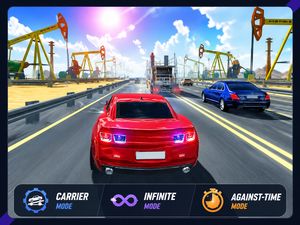
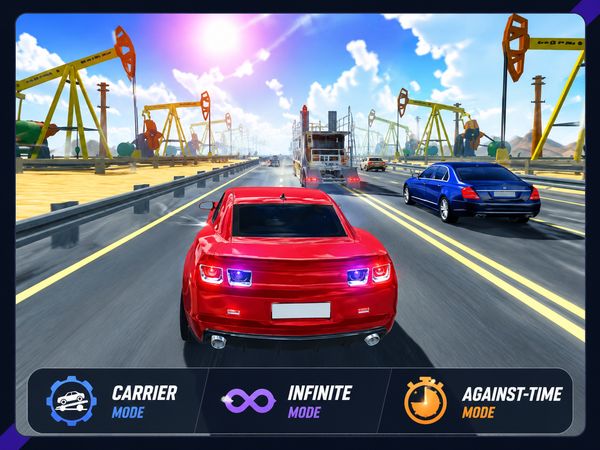
Carrier mode provides the guided route through Racing Limits. It gives you structured progression through racing challenges and set objectives. That structure creates a clear starting point for new players. You always have a defined type of challenge ahead.
Use Carrier mode to develop your traffic reading. Set objectives encourage careful practice instead of endless, directionless driving. Learn how quickly cars approach. Learn which gaps allow a clean pass. Then carry those habits into more demanding runs.
The mode also gives improvement a clear shape. You can focus on completing the current challenge rather than chasing every risky opening. That approach helps you understand the game’s traffic before faster pressure becomes overwhelming.
Do not treat each objective as a reason to rush. A controlled pass teaches more than a desperate one. Keep your line stable, watch the next vehicle, and improve one decision at a time. Carrier mode works best when you use its structure as driving practice.
Infinite endurance runs
Infinite mode removes the fixed finish. Your run continues while you survive traffic and extend your distance. That changes the goal from completing a challenge to maintaining a reliable rhythm.
Consistency matters more than aggressive risk here. A flashy pass may save a moment, but a mistake can end a long run. Protect your space and choose repeatable moves. Small errors become increasingly costly during extended driving.
Use Infinite mode to train discipline. Keep your attention steady after a successful stretch. Long runs often become difficult when confidence turns into careless speed.
Against-time and free mode
Against-time mode adds a countdown to the road. You must overtake efficiently and preserve momentum while the clock runs. Every pause becomes a speed-versus-safety choice.
Free mode offers a less structured way to drive. Use it to explore your handling and traffic decisions without the same focused objective. Keep your passes clean, even when the pressure feels lower.
Road Settings and Time-of-Day Choices
One-way versus two-way traffic
Racing Limits lets you choose between one-way and two-way traffic layouts. That choice changes the shape of every road decision. One-way traffic keeps vehicles moving in the same direction. You still need to judge speed and space, but the flow stays more predictable.
Two-way traffic creates a sharper test. Vehicles can approach from both sides of the traffic flow. A gap that looks useful may carry danger from the opposite direction. Check the full space before moving across.
Think of the two layouts as different driving problems. One-way roads reward clean movement through a shared direction. Two-way roads demand stronger awareness of opposing traffic. You need to track more than the vehicle directly ahead.
Start with one-way traffic when learning the game’s basic rhythm. Practice identifying a pass, completing it, and finding your next line. Then switch to two-way traffic and slow your decisions slightly. The extra danger makes careless lane choices much harder to recover.
Road settings also affect how much recovery room you have. A wide-looking opening may not remain useful once opposing vehicles enter the picture. Keep your car positioned where another correction remains possible. That simple habit matters most when traffic moves from both directions.
How settings change overtakes
One-way traffic lets you plan passes around vehicles traveling with you. Look beyond the nearest car before accelerating. You want a route, not just a single opening.
Two-way traffic makes timing more exact. Wait when opposing movement removes your safety space. Then pass decisively once the route clears. Hesitation can leave you exposed between traffic streams.
Change layouts when you want a fresh test of the same core skill. The objective remains overtaking, but the risks feel different. That keeps practice focused without making every run identical.
Try Racing Limits here now. Pick a traffic layout and make your next pass count.
Controls, Camera, and Manual Gear Play
Keyboard driving controls
Press the Up Arrow to accelerate. Press the Down Arrow to decelerate or brake. Use the Left Arrow to steer.
These controls keep the main driving actions close together. Hold the Up Arrow when the road opens. Release speed with the Down Arrow before a risky approach. Tap the Left Arrow for measured steering instead of large corrections.
Press C to change the camera. A different view can help you judge the road around your car. Press E to use the horn. The horn adds a direct traffic interaction without changing your steering line.
Press Esc to exit current progress. Remember that binding before starting a long run. It gives you a clear way to leave the current attempt when needed.
Camera and nitro actions
Camera changes can alter how you read nearby traffic. Press C when your current view makes spacing harder to judge. Pick the view that helps you see the next pass clearly.
Press F for nitro. Nitro boost works best when the road already offers an usable route. Do not let extra speed replace traffic reading. A boost cannot fix a poor line or a shrinking gap.
Use the horn with E when you want that action available during a drive.
Manual transmission and mobile controls
Manual transmission adds gear decisions to the drive. Press W to gear up in manual mode. Press D to gear down. Make each change while keeping your traffic line stable.
Racing Limits also appears on Android and iOS store listings. Mobile versions provide a separate platform context, so focus on the controls available on your device.
What Makes Racing Limits Hard to Master
Reading traffic gaps
Reading gaps starts with looking past the nearest vehicle. A pass only helps when the road beyond it remains usable. Check the next space before you move. This prevents one successful overtake from creating an immediate trap.
Measure gaps by time, not appearance. A large space may close quickly at high speed. A smaller opening may work if traffic moves away from it. Watch vehicle motion, then choose your line.
Keep an exit in mind. If your first route disappears, you need room to slow or steer. Two-way traffic makes this habit especially important because opposing vehicles can remove recovery space.
Practice patience during uncertain moments. Waiting briefly often creates a better pass than forcing the first opening. Strong players do not chase every gap. They select the gaps that support the next decision.
Managing nitro timing
Nitro timing separates useful speed from needless danger. Press F when your route looks clear and your next pass has room. Extra speed then supports a decision you already understand.
Avoid using nitro as a blind escape. Speed magnifies steering errors and shortens reaction time. Read the road first, then boost through a planned opening.
Against-time mode adds another concern. Nitro can help maintain momentum, but hesitation still costs the countdown. Balance fast movement with a clean route.
Avoiding mistakes at top speed
Top speed leaves little room for late thinking. Start steering before the opening becomes urgent. Use the brake when a pass no longer looks safe.
Keep corrections small. Sharp movements can turn a manageable gap into a bad angle. Smooth inputs protect your line and preserve control.
After a successful pass, reset your attention immediately. The next vehicle creates a new problem. Never let one clean overtake distract you from the road ahead.
🎯 Fun Facts About Racing Limits
- Google Play describes the game as a multiplayer racing game focused on overtaking traffic.
- The game is available across browser, Android, Windows, and iOS listings.
✨ Key Features of Racing Limits
- Traffic overtaking
- Carrier mode
- Infinite mode
- Against-time mode
- Free mode
- One-way and two-way traffic
How to Play Racing Limits
Step 1: Choose a mode that matches your goal
Start with free mode if you want space to learn the road. Pick carrier, infinite, or against-time when you want pressure and score-focused play.
Step 2: Pick a traffic layout before you accelerate
Select one-way traffic for a calmer opening or two-way traffic for a harder run. Two-way roads demand earlier lane decisions and cleaner passing.
Step 3: Use speed changes with more restraint than usual
Accelerate smoothly, then brake early when traffic bunches up. Racing Limits rewards control more than constant full throttle.
Step 4: Pass only when the gap stays open
Look two cars ahead, not just at the nearest bumper. Clean overtakes keep your momentum and prevent sudden recovery problems.
Step 5: Use nitro when the lane is already clear
Trigger nitro after you have a safe opening, not before it. Boosting into crowded traffic is the fastest way to lose a run.
Racing Limits FAQs
Can I play Racing Limits on mobile devices?
Yes. Racing Limits has a mobile release through App Store, Google Play.
Does Racing Limits require a separate installation?
No. The browser version of Racing Limits runs on the page without a separate installation.
Is Racing Limits available on PC?
Yes. It appears in browser form on PC and also has a Microsoft Store listing for Windows. Google Play also shows a PC-store listing, which confirms desktop availability across different channels.
Conclusion
Racing Limits is an engaging arcade racing experience from Valvolex, built in HTML5 for browser, PC, mobile, Android, and iOS play. Its appeal comes from meaningful choices: Carrier mode provides set racing objectives and a guided path, while Infinite mode asks you to survive traffic and extend your distance. Against-time mode adds a countdown, making efficient overtaking and momentum essential.
Traffic settings deepen the challenge without complicating the idea: one-way traffic keeps movement in one direction, while two-way traffic brings vehicles from both sides and demands sharper judgment. Keyboard controls cover acceleration, braking, steering, camera changes, nitro, and manual gear changes, giving each decision weight. Whether learning through Carrier mode or testing discipline in longer runs, Racing Limits delivers focused driving tension. Play Racing Limits here on this page and start your next run below.

No comments yet. Be the first to share your thoughts!