Tomb of the Mask turns every move into a commitment. Swipe across the maze, and your character keeps moving until a wall or obstacle stops the dash. That simple rule creates fast decisions, sharp turns, and plenty of close escapes.
This 2016 arcade maze game sends you through a vertical labyrinth. You collect dots, coins, and stars while searching for a safe route. The action feels easy to start, but each new layout tests your timing and planning.
Choose a measured route when survival matters. Take risks when your score needs a boost. Play Tomb of the Mask online here and learn how each wall, hazard, and reward changes your next move.
Tomb of the Mask Core Loop and Movement
Wall Stops and Route Changes
Movement follows one clear rule. Swipe in a direction, then keep moving until something stops you. You do not steer freely through every space. Instead, each swipe commits your character to a line.
That commitment makes walls central to the puzzle. A wall ends the current dash and creates your next decision point. From there, you can select another direction and continue through the maze. Plan around corners rather than reacting after every small step.
Look for the next stopping point before you swipe. A nearby wall may offer a safe turn. A longer open lane may carry you toward rewards, but it also limits your chance to change course. Study the visible route first, then choose the direction that leaves useful options.
Obstacle placement can change a good route into a poor one. One turn may take you toward the exit, while another may place you beside danger. Keep track of where each wall stops movement. That simple mental map helps you avoid repeating the same mistake.
The browser control is direct: Mouse Swipe: Move / Dash. Use short, deliberate mouse swipes when the route feels tight. Save longer moves for open lanes where the next wall is easy to predict.
What Makes Runs Fast
Speed comes from reducing hesitation. Read the next two stopping points before your current move ends. Then swipe again as soon as the route becomes clear.
Fast play does not mean random play. It means linking safe turns without breaking rhythm. Learn the maze shape, trust your planned line, and change direction only when the next obstacle demands it.
Continuous movement keeps the pace high. Every pause costs attention, while every careless swipe can ruin the run. Balance quick input with a steady view of the path ahead.
Tomb of the Mask gameplay
When Each Mode Rewards Different Play
Tomb of the Mask supports both level-based and endless play structures. Those formats ask for different goals. A level-based run rewards careful route solving, while an endless run tests how long you can keep making sound choices.
In a defined maze, inspect the available path before chasing distant rewards. The exit gives your route a clear purpose. You can take a safer line, learn the layout, and improve the same type of decision through repeated attempts.
Endless play changes that mindset. The run has no simple finish point to guide every choice. Survival becomes the main challenge, so you need a route that remains useful after the next turn. Avoid moves that leave no safe direction afterward.
The named modes include Map Mode and Arcade Mode. Focus on the play structure in front of you rather than forcing one strategy everywhere. A route built for steady progress may not suit a run built around lasting longer.
Use the first part of any attempt as a reading phase. Watch how walls shape movement. Notice where the maze offers open lanes and where it narrows your choices. Then adjust your swipes instead of repeating a fixed pattern.
Singleplayer play puts every decision in your hands. There is no teammate to cover a mistake or choose the next turn. Your advantage comes from consistency: read, swipe, stop, and reassess.
Defined stages also reward memory. If a route fails, remember the stopping point that caused trouble. Change one decision on the next attempt. Small corrections often work better than replacing the whole plan.
Endless play rewards restraint. Do not treat every open lane as an invitation to rush. Keep enough control for the next obstacle, especially when the maze grows harder to read.
Both structures share the same movement foundation. Your character travels continuously after each swipe. The difference comes from the goal you set for the run: reach a defined finish, or protect the attempt for as long as possible.
Switch between careful and bold play with purpose. Solve when the route asks for precision. Push forward when you understand the next safe stop. That change in mindset keeps the arcade action from becoming automatic.
Hazards, Traps, and Survival Timing
Spikes and Enemies
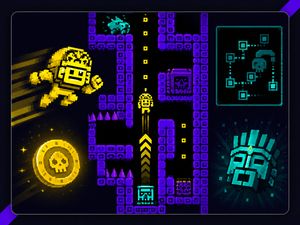
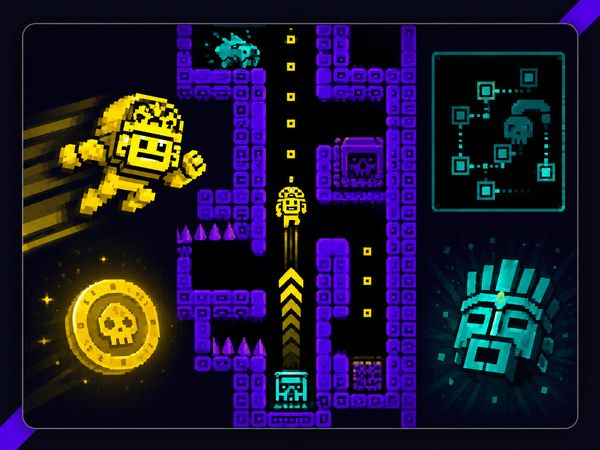
Spikes punish careless lines. Treat them as route blockers, not decorations. Before swiping, check whether your path crosses a dangerous section or ends beside one.
Enemies add another timing problem. They can turn a route that looks open into a risky choice. Keep your attention on both the maze shape and the threats moving through it.
Do not rush simply because the next wall sits nearby. A quick stop may still place you in trouble. Wait for a safer line when the route gives you room to choose.
Freeze helps when enemies threaten your planned movement. The temporary helper can stop them long enough to survive. Use that opening to reach a better position, not to abandon route awareness.
A shield offers another safety tool during a run. Save it for a dangerous section where one mistake would end your attempt. The goal stays the same: keep movement controlled until the next safe wall.
Reading Safe Lines
Find the stopping point first. Then judge the space around it. A safe line gives you a clear next direction after the dash ends.
Watch for narrow lanes near spikes and enemies. Avoid routes that demand a blind follow-up swipe. Good survival timing leaves time to read before moving again.
When the maze feels crowded, choose control over distance. A shorter route with a safe stop can protect the run better than a direct, dangerous line.
Start playing Tomb of the Mask here and test your timing against the next maze.
Coins, Dots, Stars, and Score Pressure
Collection Routes
Dots, coins, and stars give each route more than one goal. The exit may be nearby, but a wider path can offer extra collection opportunities. Decide whether the reward justifies the added distance and danger.
Start by checking the line between your current position and the next wall. If a reward sits along that line, the collection costs little movement. Take it when the route remains safe and your next stop stays clear.
Some rewards demand a detour. That detour can cross a hazard or remove your best escape line. Do not chase it automatically. First, identify where the dash ends and what directions remain available afterward.
Use walls to shape collection routes. A wall can stop your movement beside a reward and set up a clean turn. Another wall may force you past the item before you can change direction. Read those differences before committing.
Stars can tempt you into longer paths. Coins may sit in places that require more careful timing. Dots help fill the route as you move. Treat every item as part of the map, not as a reason to ignore it.
Collection also changes your view of success. Reaching the exit proves you solved the immediate route. Gathering more items asks you to solve that route with better positioning and fewer wasted moves.
When to Chase Rewards
Chase rewards when the route stays readable. A safe collection line should leave a clear stopping point and a workable next move.
Skip a tempting item when it forces danger without a strong path afterward. Reaching the exit protects the run. Score pressure should sharpen your choices, not replace them.
In endless play, protect survival first. In a defined maze, attempt a reward route after learning the safer line. Practice turns risky collection into a measured choice.
Power-ups and Masks
Shields, Magnets, and Freeze
Use each tool for its stated strength. Let a magnet handle collection pressure, save a shield for danger, and trigger freeze when enemy movement threatens your line. These helpers support smart movement; they do not replace it.
Upgrades and Permanent Bonuses
Keep your attention on the run tools you can verify: shields, magnets, and freeze. Their value comes from temporary help during movement. Do not treat every reward as an automatic upgrade or assume that one tool changes your core controls.
Your main advantage still comes from reading walls and choosing safe stops. Power-ups add options, while practice builds consistency.
Choosing When to Spend Coins
Spend coins with a clear purpose. Use them when a helper can protect a strong route or improve a reward attempt.
Do not spend them simply because a difficult section feels tense. First, check whether better timing solves the problem. Save useful support for a moment where it changes your decision.
Tomb of the Mask on Browser, Mobile, and Switch
Switch Inputs
Tomb of the Mask supports Nintendo Switch play.
The core idea remains familiar across the game’s documented versions. Movement stays swipe-based and continuous in the browser-style and mobile builds. Once a move begins, the character continues until a wall or obstacle stops the dash.
Browser players use Mouse Swipe: Move / Dash. Make each swipe deliberate, especially near spikes, enemies, and narrow turns. The input feels simple because the decision happens before the movement starts.
Switch players can choose the input that feels more precise for the maze. Either way, avoid treating the controls like free steering.
Both use one-direction-at-a-time movement with simple input that makes the player control continuous motion by choosing when to change direction.
✨ Key Features of Tomb of the Mask
Swipe-based continuous movement
Map Mode
Arcade Mode
Stage Mode
Dots, coins, and stars
Procedurally generated vertical labyrinth
How to Play Tomb of the Mask
Step 1: Plan around stop points
Use walls as control points. Every turn happens only after contact, so each route should begin with the next stop in mind.
Step 2: Use power-ups at the right moment
Shields, magnets, and freeze are most valuable when a trap corridor or enemy pattern would otherwise end the run.
Tomb of the Mask FAQs
What are the basic controls for Tomb of the Mask?
Browser mouse: Mouse Swipe — move / dash.
Is Tomb of the Mask worth playing?
It is a strong pick if fast maze routing sounds fun. The swipe-slide movement, endless arcade pressure, and short retry loops make it easy to pick up and hard to put down.
Tomb of the Mask is a focused 2016 singleplayer Arcade Maze experience built around quick decisions and repeatable runs. With a Mouse Swipe, you can move or dash through the maze, making route choices feel immediate and responsive. Its straightforward control scheme keeps the attention on navigating effectively and surviving each attempt.
Temporary power-ups add welcome variety without overwhelming the action. Shields can save a bad route, magnets can pull in rewards, and freeze can stop enemies long enough to survive. Together, these tools make each run more engaging while preserving the game’s simple arcade appeal. If you enjoy maze navigation, smart timing, and accessible singleplayer action, play Tomb of the Mask here on this page.
Tomb of the Mask Game Video
YouTubeWatch Gameplay
Game Controls
Mouse Swipe
Move / Dash
No comments yet. Be the first to share your thoughts!

No comments yet. Be the first to share your thoughts!